Look, blink, punched in.
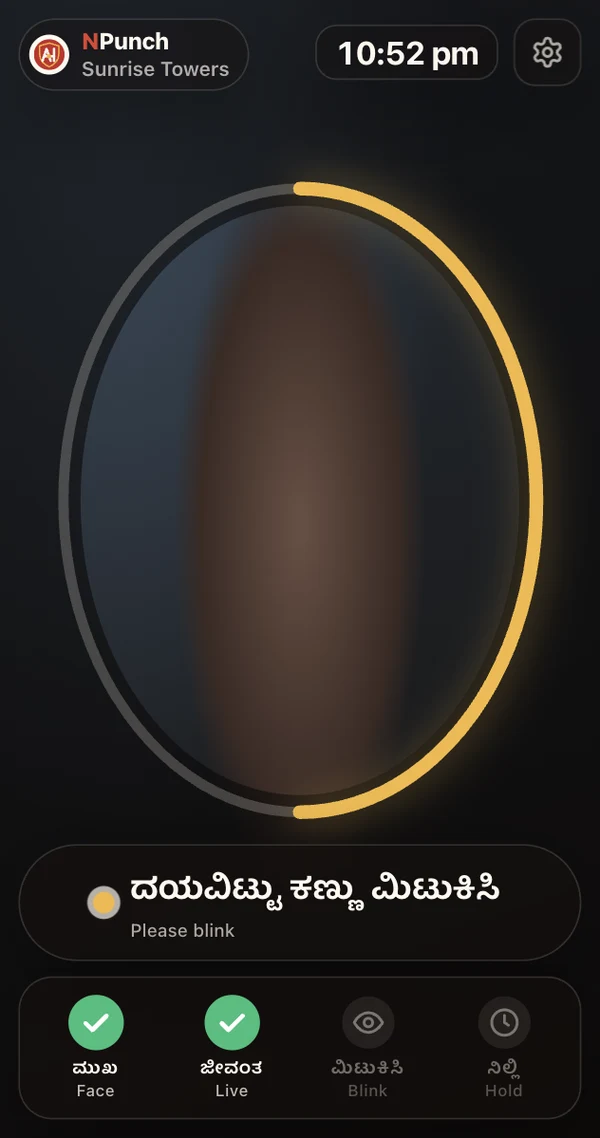
An Android tablet at the entrance. Staff step up, the kiosk checks they are really there, recognises them and records the punch, and says so out loud in their language.
Three seconds at the gate.
1 · Step up
The oval shows where to stand; a ring fills as the face is found, checked as live, and held still.
2 · Blink
Anti-spoofing and liveness checks, plus a blink, stop a printed photo or a phone screen held up to the camera.
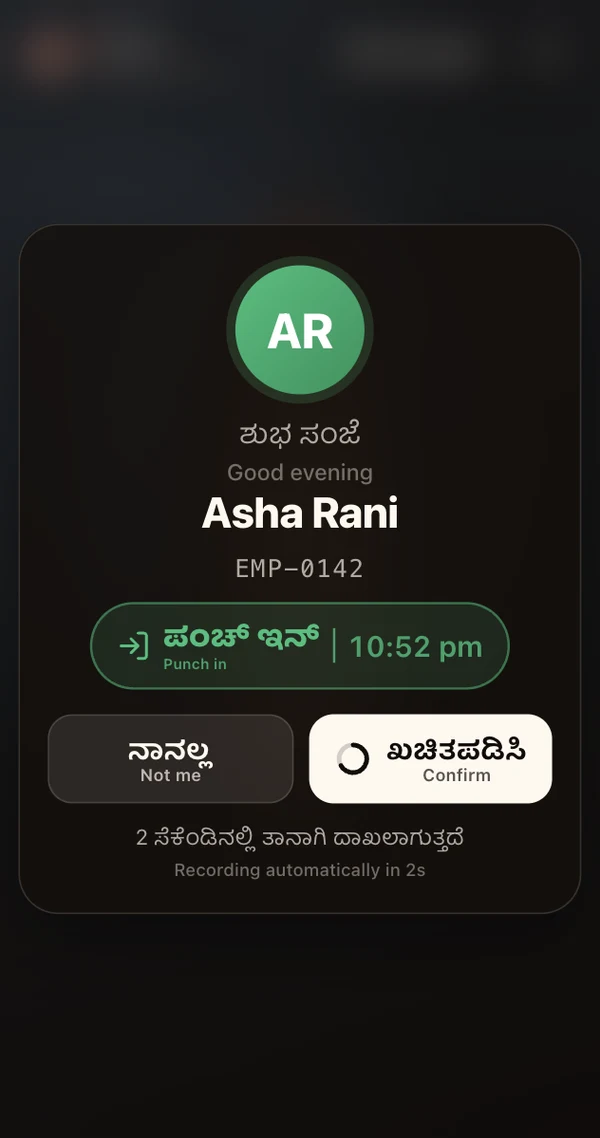
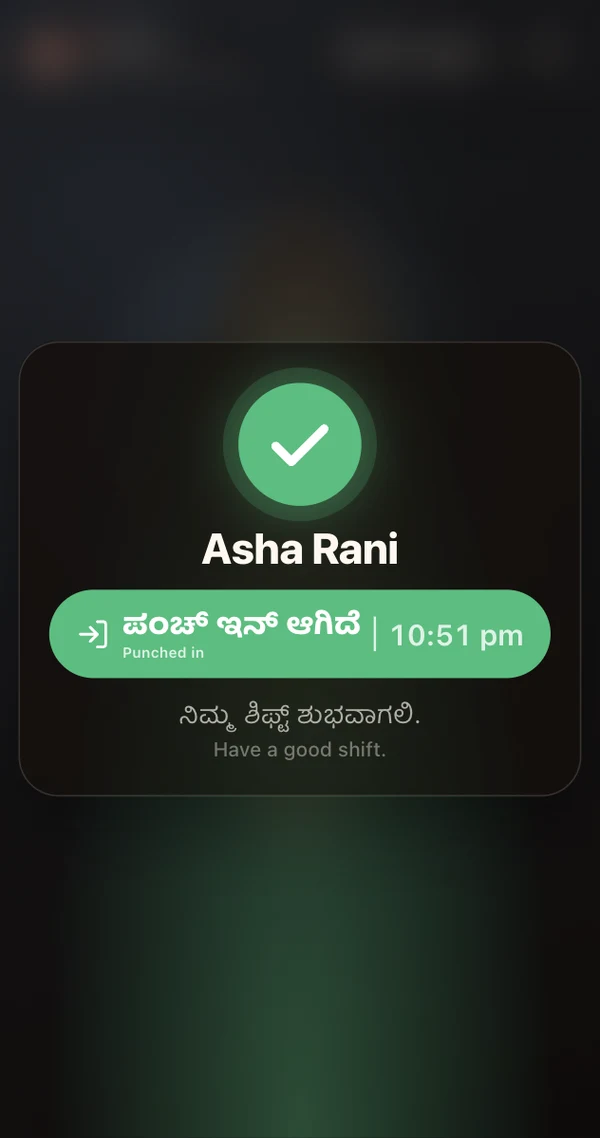
3 · Punched
The server names the person; they see their name and "punch in" or "punch out", with three seconds to say "not me".
Made for a busy entrance, not a demo.
Speaks their language
"Punched in" and "punched out" with the person's name, or "not recognised", in English, Kannada, Hindi, Tamil, Telugu, Malayalam, Marathi, Bengali or Gujarati.
Two languages on screen
Every prompt in the site's language with English beneath, so everyone at the gate can read it.
Nothing stored on the tablet
The tablet holds only a revocable token. Faces are matched on the server; a lost tablet is switched off from AdminHub in a click.
Set up with a code
Add a kiosk to a site in AdminHub and type its six-digit code on the tablet, or scan its QR code. No passwords at the gate.
Straight into attendance
Punches become attendance days every night, each person on a post of their role, ready for the month to be approved.
Tablet or phone
Works upright or on its side, on a tablet or a phone, and in a browser as well as the Android app.
Get NPunch on your tablet.
Scan the code with the tablet's camera, or download the app and install it. Then pair it with a six-digit code from AdminHub → Sites → the site → Attendance kiosks.
NPunch for Android
If Android asks, allow your browser to install unknown apps, then open the downloaded file.
Download APK Scan with the tablet
Good to know.
Does NPunch need AdminHub?
Yes. NPunch is the gate; AdminHub holds the employees, their enrolled faces, the sites and the attendance the punches become.
How are staff enrolled?
From AdminHub's Face enrolment page, on a phone or at the office: a few photos of each person, taken with their consent.
What if someone is not recognised?
The kiosk says so and asks them to try again. A supervisor can always mark the day in AdminHub.
Does it need the internet?
Yes. Matching happens on the server, which is also why nothing about anyone is kept on the tablet.
Can the voice be turned off, or changed per site?
Yes. AdminHub sets the voice and its language for the whole organisation, and any kiosk can use another language or stay quiet.